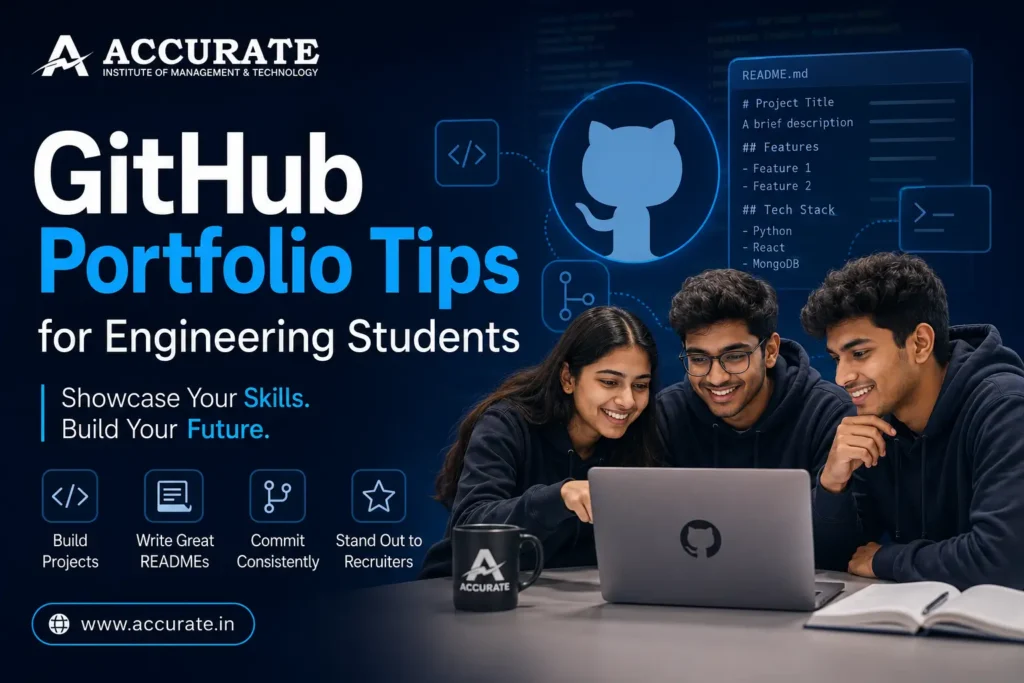

A strong GitHub portfolio for engineering students should contain a professional profile, a clear profile README, well-organized repositories, meaningful project descriptions, clean code, documentation and evidence of consistent development. Students should prioritize quality over quantity, pin their best projects, write useful README files, use meaningful commit messages and demonstrate practical problem-solving. A GitHub portfolio becomes especially valuable when it supports the technical skills and projects mentioned on a student’s résumé.
How can engineering students build a strong GitHub portfolio?
Engineering students can build a strong GitHub portfolio by completing practical projects, creating clean repositories, writing detailed README files, using meaningful commit messages and pinning their best work. Each project should explain the problem, technologies used, setup process, features and results. Students should focus on a few complete, understandable projects instead of uploading many unfinished ones.
How do I make a good GitHub portfolio as an engineering student?
Start by creating a professional GitHub profile, add a profile README and upload a few complete projects that demonstrate your skills. Give every important repository a clear README, organize your code, make regular meaningful commits and pin your strongest projects. Your GitHub should show recruiters what you can actually build and explain.
Table of Contents
- Why GitHub Matters for Engineering Students
- What Is a GitHub Portfolio?
- When Should Engineering Students Start Using GitHub?
- Set Up a Professional GitHub Profile
- Create a Strong GitHub Profile README
- Choose Quality Projects Over Quantity
- Write Excellent Repository README Files
- Keep Your Repository Structure Clean
- Write Better Commit Messages
- Pin Your Best GitHub Projects
- Showcase Different Technical Skills
- Build Projects That Solve Real Problems
- Make Your GitHub Portfolio Recruiter-Friendly
- Use GitHub for Internships and Placements
- GitHub Portfolio Tips for First-Year Students
- GitHub Portfolio Tips for CSE Students
- GitHub Mistakes Engineering Students Should Avoid
- GitHub and Open-Source Contributions
- Using AI Tools Responsibly with GitHub
- A Four-Year GitHub Roadmap for Engineering Students
- How Accurate Institute Supports Practical Engineering Learning
- GitHub Portfolio Checklist
- Frequently Asked Questions
- Conclusion and Admission CTA
GitHub Portfolio Tips for Engineering Students
Imagine two engineering students applying for the same software internship.
Both have mentioned Python, Java, SQL and web development on their résumés.
The first candidate’s résumé says:
Skills: Python, Java, HTML, CSS, JavaScript, SQL
The second candidate mentions similar skills but also provides a GitHub profile containing a Python automation project, a full-stack application, a database project and a well-documented mini-project built during college.
Who gives the recruiter more evidence?
Usually, the second student.
That is the real value of a GitHub portfolio for engineering students.
A résumé tells someone what you know.
A GitHub portfolio can help show what you have actually done with that knowledge.
For Computer Science Engineering and other technology-focused students, GitHub can become a digital record of how their skills develop throughout college. It can contain programming exercises, mini-projects, hackathon work, open-source contributions, experiments and major academic projects.
However, simply creating a GitHub account and uploading random files is not enough.
A strong GitHub portfolio needs strategy.
You need to decide what to showcase, how to document it, how to organize repositories and how to make your work understandable to someone seeing it for the first time.
This guide covers practical GitHub portfolio tips engineering students can use from their first year of college through internships and placement season.
Why GitHub Matters for Engineering Students
GitHub is widely associated with software development and collaborative coding.
For a student, however, it can serve several purposes simultaneously.
GitHub Shows Evidence of Your Skills
Anyone can write “Python” on a résumé.
A repository containing a working Python project gives that claim more context.
Anyone can write “React.”
A deployed application with organized source code, documentation and version history provides stronger evidence that you have actually used it.
GitHub does not automatically prove expertise, but it can provide a technical reviewer with something concrete to explore.
GitHub Documents Your Progress
Your earliest repositories may contain basic programs.
Later, you may build APIs, web applications, machine-learning models or cloud-based systems.
Over time, your profile can tell a story:
Beginner → learner → builder → problem solver.
That progression can be more interesting than trying to make your profile appear perfect from day one.
GitHub Teaches Professional Habits
Software development is not only about writing code.
Developers need to understand:
- version control;
- collaboration;
- documentation;
- branches;
- commits;
- issues;
- code review;
- project organization.
Using GitHub during engineering college introduces students to several of these workflows before they enter a professional environment.
What Is a GitHub Portfolio?
A GitHub portfolio is a curated collection of repositories and profile information designed to demonstrate your technical abilities.
Think of it as a developer’s project portfolio.
A good student GitHub portfolio might contain:
- a professional profile README;
- pinned repositories;
- programming projects;
- academic projects;
- hackathon projects;
- data-science notebooks;
- web applications;
- APIs;
- open-source contributions;
- technical experiments.
It should not be treated as a dumping ground for every file you have ever written.
The keyword is curated.
Your best work should be easy to discover.
When Should Engineering Students Start Using GitHub?
The best answer is simple:
As early as possible.
You do not need to wait until you become an advanced programmer.
First-Year Students Can Start Small
Your first repositories may contain:
- C programs;
- Python exercises;
- small calculators;
- command-line applications;
- basic websites;
- simple problem-solving projects.
There is nothing wrong with beginner work.
The goal is to learn the workflow.
Understand how to create a repository, commit changes, push code and write basic documentation.
By the time you start developing larger projects, using GitHub will already feel natural.
1. Set Up a Professional GitHub Profile
Your GitHub username may eventually appear on your résumé, LinkedIn profile and internship applications.
Treat it accordingly.
Choose a Professional Username
Ideally, use a variation of your actual name.
Avoid usernames that could look inappropriate or confusing in a professional setting.
You do not necessarily need to change a long-established username, but students creating a new account should consider how the name will look on a résumé.
Add a Clear Profile Photo
A simple professional photo or appropriate avatar works well.
Write a Short Bio
Your bio should quickly communicate who you are and what you are learning.
For example:
CSE Student | Python & Java | Learning Full-Stack Development | Building Practical Projects
Keep it short.
Add Relevant Links
If appropriate, connect your:
- portfolio website;
- LinkedIn profile;
- personal technical blog.
Make it easy for someone interested in your work to learn more about you.
2. Create a Strong GitHub Profile README
GitHub allows you to create a special repository that displays a README directly on your profile.
This can act as your introduction.
What Should a Student GitHub Profile README Include?
Consider including:
A Short Introduction
Explain who you are and what you are studying.
Current Technical Interests
For example:
- full-stack development;
- artificial intelligence;
- machine learning;
- cybersecurity;
- cloud computing;
- data science.
Technologies You Use
Mention only technologies you genuinely understand or are actively learning.
Current Projects
Highlight one or two things you are building.
Learning Goals
You can mention areas you are currently exploring.
Contact or Professional Links
Provide appropriate ways to connect with you professionally.
Keep It Readable
Do not overload the profile with dozens of badges, animations, graphs and icons.
Visual elements can make a profile attractive, but your actual work should remain the focus.
3. Choose Quality Projects Over Quantity
One of the biggest GitHub mistakes students make is thinking more repositories automatically mean a better portfolio.
They don’t.
Imagine a recruiter opens two profiles.
One contains 70 repositories with names such as:
test1
python-practice
newproject
finalproject2
hello-world
abc
The other contains six carefully documented projects demonstrating different skills.
The second profile may be far easier to evaluate.
How Many Projects Should You Showcase?
There is no magic number.
For portfolio purposes, four to six strong projects can already tell a meaningful story if they demonstrate real skills.
You can have more repositories, of course.
But make your strongest work obvious.
4. Write Excellent README Files
A project without documentation forces visitors to investigate everything themselves.
Most will not.
A README helps someone understand your project quickly.
Every Important Project Should Answer These Questions
What Is the Project?
Give a one- or two-sentence description.
What Problem Does It Solve?
Explain why you built it.
What Technologies Did You Use?
Mention relevant languages, frameworks, databases and tools.
What Are the Main Features?
Summarize the important functionality.
How Can Someone Run It?
Provide installation and setup instructions where appropriate.
What Does It Look Like?
For visual applications, screenshots can be extremely useful.
What Did You Learn?
For student projects, this can be valuable.
Explain what technical skills or concepts you developed while building it.
What Would You Improve?
Mentioning limitations demonstrates engineering awareness.
A student who understands a project’s limitations often appears more credible than someone claiming everything is perfect.
5. Keep Your Repository Structure Clean
Imagine opening a repository and seeing 40 randomly named files in one folder.
Even good code becomes difficult to understand.
Organize projects logically.
A web application, for example, might separate:
- frontend code;
- backend code;
- configuration;
- tests;
- documentation;
- assets.
The exact structure depends on the technology.
The principle is universal:
Someone unfamiliar with the project should be able to navigate it.
6. Write Better Commit Messages
Git is designed to track changes.
Commit messages should therefore explain those changes.
Avoid filling your history with:
update
changes
done
final
final2
working
Instead, write meaningful messages such as:
Add user authentication flow
Fix validation for registration form
Create product search API endpoint
Improve mobile navigation
These messages make your development process easier to follow.
Why Commit History Matters
A good commit history can demonstrate that the project evolved through development rather than appearing as one enormous upload.
More importantly, learning to commit logically is a useful professional habit.
7. Pin Your Best GitHub Projects
GitHub allows users to highlight selected repositories on their profiles.
Use this feature strategically.
Do not simply pin the newest repository.
Pin the projects that best represent your abilities.
A CSE Student Might Pin
- one full-stack project;
- one data structures or algorithms project;
- one Python or automation project;
- one database-backed application;
- one AI/ML project;
- one open-source or collaborative project.
Your choices should reflect the roles you are targeting.
A student aiming for machine-learning internships should naturally showcase different work from someone targeting frontend development.
8. Showcase Different Technical Skills
A good portfolio should demonstrate range without becoming random.
Suppose all six of your pinned projects are basic calculators written in different programming languages.
Technically, you have six projects.
Practically, they demonstrate similar problem-solving depth.
Instead, aim for projects that reveal different abilities.
Programming Fundamentals Project
Demonstrate logic, algorithms or object-oriented programming.
Database Project
Show SQL, data modelling and database integration.
Web Development Project
Show frontend or full-stack skills.
API Project
Demonstrate communication between software systems.
AI or Data Project
Show data processing, machine learning or intelligent application development if relevant to your interests.
Team Project
Demonstrate collaboration and version-control workflows.
Your portfolio should gradually reflect the engineer you are becoming.
9. Build Projects That Solve Real Problems
Tutorial projects are useful when learning.
But your portfolio becomes more interesting when you start adapting what you learn to real problems.
Look Around Your College Life
You may discover ideas for:
- attendance tracking;
- study planning;
- event management;
- library management;
- expense tracking;
- campus navigation;
- placement preparation;
- timetable organization;
- club management;
- peer learning.
You do not need to create the next billion-user application.
Solve a small problem well.
Ask Four Questions Before Starting
- Who is the user?
- What problem does the user face?
- What is the simplest useful solution?
- What technologies are appropriate?
This approach turns coding practice into engineering practice.
10. Make Your GitHub Portfolio Recruiter-Friendly
Recruiters and technical interviewers do not have unlimited time.
Make your profile easy to scan.
Keep Repository Names Clear
Instead of:
project123
use:
student-expense-tracker
or:
campus-event-platform
Write Short Repository Descriptions
A visitor should understand the project before opening it.
Add Relevant Topics
Repository topics can indicate the technology or domain.
For example:
python
react
machine-learning
nodejs
mongodb
Link Live Demonstrations
If your application is deployed, include the working link.
Check Broken Links
Before sending your GitHub profile with an application, review it.
A portfolio full of broken demos, missing screenshots and incomplete instructions creates unnecessary friction.
GitHub for Internships and Placements
Your GitHub profile should support your résumé rather than exist separately from it.
Suppose your résumé says:
Developed a full-stack task management application using React, Node.js and MongoDB.
The project name can link to its GitHub repository.
A technical interviewer can then explore the source code and documentation.
Be Ready to Discuss Every Featured Project
This is essential.
For each project on your résumé or pinned GitHub section, you should be able to explain:
- why you built it;
- architecture;
- technologies;
- database choices;
- major challenges;
- important code;
- bugs you faced;
- trade-offs;
- limitations;
- what you would improve.
Do not showcase code you cannot explain.
GitHub Portfolio Tips for First-Year Engineering Students
First-year students often think:
“I don’t know enough to create a portfolio.”
That is precisely why you should start.
Your first year is about establishing habits.
Start with Small Projects
Try:
- calculator;
- number guessing game;
- quiz application;
- expense tracker;
- command-line contact book;
- simple personal website.
Learn Git Alongside Programming
Understand:
git init
git add
git commit
git push
git pull
Then gradually learn branches and merging.
The commands are less important than understanding what version control is doing.
Document Your Learning
Your early repositories can show progress.
Do not compare your first-semester GitHub profile with that of a developer who has been coding for five years.
GitHub Portfolio Tips for CSE Students
Computer Science Engineering students have a particularly strong opportunity to use GitHub because many subjects naturally produce code and projects.
Data Structures and Algorithms
Instead of uploading hundreds of disconnected answers, organize implementations by topic and explain what each section covers.
Object-Oriented Programming
Create a small application that demonstrates classes, inheritance, interfaces or other relevant concepts.
DBMS
Build an application that uses a properly designed database instead of uploading only SQL commands.
Operating Systems
Document experiments or simulations that demonstrate concepts you have learned.
Computer Networks
Create networking-related applications or document relevant laboratory projects where appropriate.
Web Technologies
Build and deploy complete applications.
Artificial Intelligence and Machine Learning
Use notebooks responsibly, explain datasets and document model evaluation instead of displaying only an accuracy score.
The goal is to connect academic concepts with practical implementation.
Common GitHub Portfolio Mistakes Engineering Students Should Avoid
Mistake 1: Uploading Everything
Your portfolio should highlight your best work.
Not every laboratory exercise needs to become a featured project.
Mistake 2: No README
Good code with no explanation may be ignored.
Mistake 3: Copying Projects
A copied project provides little value if you cannot explain or modify it.
Use tutorials to learn, then build something yourself.
Mistake 4: Exposing Passwords and API Keys
Never commit passwords, private tokens, credentials or sensitive configuration information.
Learn about environment variables and .gitignore.
If a secret is accidentally exposed, removing the visible line may not be enough because Git preserves history. Treat exposed credentials as compromised and rotate them.
Mistake 5: Huge Single Commits
Uploading an entire completed project in one commit hides the development process.
Commit meaningful stages as you work.
Mistake 6: Fake Contribution Activity
Do not chase a green contribution graph simply for appearance.
Meaningful work matters more than artificial activity.
Mistake 7: Projects You Cannot Explain
If you claim ownership of a project, expect technical questions about it.
Open-Source Contributions and GitHub
Once you are comfortable with Git and GitHub, consider exploring open source.
You do not need to begin by contributing complex code to a massive project.
Start with Smaller Contributions
Possible contributions include:
- documentation improvements;
- typo corrections;
- test cases;
- bug reproduction;
- small fixes;
- examples;
- beginner-friendly issues.
Learn How Projects Work First
Read:
- README;
- contribution guidelines;
- issue discussions;
- code of conduct;
- documentation.
Open source is not only about code.
It teaches you how distributed technical collaboration works.
Using AI Tools Responsibly with Your GitHub Portfolio
AI coding assistants can make software development faster, but they introduce a new challenge for students:
How much of the code do you actually understand?
Using AI to assist a project is not automatically a problem.
Blind dependence is.
Good Uses of AI
Ask AI to:
- explain errors;
- suggest test cases;
- review functions;
- compare approaches;
- explain documentation;
- identify possible edge cases;
- suggest refactoring ideas.
Risky Uses of AI
Be cautious about:
- generating an entire project you cannot explain;
- accepting code without testing it;
- uploading sensitive code to external tools;
- using generated libraries or functions without verifying them;
- claiming AI-generated work as independently created work when academic rules prohibit it.
Use AI as a Reviewer
A strong workflow is:
Plan → Code → Test → Ask AI for feedback → Evaluate suggestions → Improve → Test again.
This keeps you in control of the engineering process.
Four-Year GitHub Roadmap for Engineering Students
Building a portfolio becomes easier when you spread the work across your degree.
First Year: Learn and Document
Focus on:
- programming basics;
- Git fundamentals;
- GitHub basics;
- small projects;
- simple READMEs.
Target: Become comfortable storing and managing your code professionally.
Second Year: Connect Core Subjects to Projects
Focus on:
- data structures;
- OOP;
- databases;
- web development;
- APIs;
- better documentation.
Target: Build two or three projects that demonstrate core CSE concepts.
Third Year: Specialize and Collaborate
Choose an area such as:
- full-stack development;
- AI/ML;
- cybersecurity;
- cloud computing;
- mobile development;
- IoT;
- data science.
Participate in:
- hackathons;
- team projects;
- open source;
- internships.
Target: Build projects aligned with your desired career direction.
Fourth Year: Curate for Placements
Do not suddenly create 30 repositories before placement season.
Instead, improve your existing work.
Focus on:
- polished README files;
- clean code;
- deployed demos;
- portfolio website;
- pinned repositories;
- final-year project;
- résumé integration.
Target: Make it easy for a recruiter to understand what you can build.
How Accurate Institute of Management & Technology Supports Practical Engineering Learning
A strong GitHub profile cannot be created through theory alone.
Students need opportunities to write programs, experiment, build projects, collaborate and solve technical problems.
This is where the broader engineering learning environment matters.
Accurate Institute of Management & Technology, Greater Noida emphasizes an engineering experience that combines technical learning with practical exposure, programming practice, guided projects and career development.
For students, project-based learning can naturally become portfolio material.
A programming assignment can inspire a larger application.
A laboratory concept can become a prototype.
A hackathon idea can evolve into a complete GitHub project.
A final-year project can become the centrepiece of a technical portfolio.
The objective should not simply be completing academic requirements.
Students should continually ask:
“How can I convert what I learned into something I can demonstrate?”
That mindset helps connect classroom learning with career preparation.
Greater Noida and the Delhi NCR Technology Ecosystem
Accurate Institute’s Greater Noida location places students within the wider Delhi NCR education, technology and industrial ecosystem.
For proactive engineering students, the surrounding ecosystem can complement college learning through internships, professional interaction, technical events and career exposure.
However, no location or college can build a student’s GitHub portfolio automatically.
Students need to write the code, build the projects and document their learning.
Institutional opportunities become most valuable when students actively use them.
GitHub Portfolio Checklist for Engineering Students
Before adding your GitHub link to a résumé, check the following.
Profile
- Professional username
- Clear profile image or avatar
- Short technical bio
- Relevant professional links
- Profile README
Repositories
- Clear repository names
- Useful descriptions
- Organized code
- README files
- Setup instructions
- Screenshots where useful
- Technology stack
- Meaningful commits
- No exposed passwords or API keys
Portfolio Projects
- Best projects pinned
- Projects demonstrate different skills
- Code is understandable
- Live demo links work
- Documentation is updated
- You can explain every featured project
Career Readiness
- GitHub link appears on résumé
- Relevant résumé projects link to repositories
- LinkedIn and GitHub information are consistent
- Projects align with your target roles
If most of these are complete, your GitHub profile is becoming a genuine professional asset rather than simply an online code folder.
Frequently Asked Questions About GitHub Portfolios for Engineering Students
1. Is GitHub important for engineering students?
GitHub is especially useful for CSE, IT and software-focused engineering students because it provides a place to manage code, document projects and demonstrate practical technical work. A well-maintained GitHub profile can complement a résumé when applying for internships, projects and software roles.
2. How do I create a GitHub portfolio as a student?
Create a professional GitHub account, add a short bio and profile README, upload your meaningful projects and document each important repository. Pin your strongest projects and make sure the technologies, features, setup instructions and project purpose are easy to understand.
3. How many GitHub projects should an engineering student have?
There is no required number. Four to six strong, complete and well-documented projects can be more valuable for portfolio purposes than dozens of unfinished repositories. Focus on quality, technical depth and your ability to explain the work.
4. What projects should CSE students upload to GitHub?
CSE students can upload web applications, database projects, Python automation tools, mobile apps, AI/ML projects, data-structure implementations, APIs, hackathon projects and academic projects. Choose projects that demonstrate useful technical skills and genuine problem-solving.
5. Do recruiters check GitHub profiles of freshers?
Some recruiters and technical interviewers may review GitHub profiles, particularly for software-development roles, while others may not. A strong GitHub portfolio should therefore support your application rather than replace a good résumé, technical preparation and interview performance.
6. Should I put my GitHub profile on my résumé?
Yes, if your profile contains relevant, organized and presentable work. Before adding the link, review your public repositories, improve documentation, pin your best projects and make sure you can confidently explain the work you showcase.
7. What should I write in my GitHub profile README?
Include a short introduction, your technical interests, technologies you use, current projects, learning goals and relevant professional links. Keep it concise and easy to scan. Your repositories should remain the main evidence of your technical ability.
8. Can first-year engineering students create a GitHub portfolio?
Absolutely. First-year students can begin with programming exercises and small applications while learning Git and GitHub fundamentals. Starting early allows your portfolio to develop naturally throughout the four years of your engineering degree.
9. Can I use AI to create projects for my GitHub portfolio?
AI can assist with brainstorming, debugging, explanations, testing and code review, subject to academic and organizational rules. However, you should understand, test and be able to explain every important part of a portfolio project. Avoid presenting work you do not genuinely understand as evidence of your skills.
10. How can I make my GitHub profile stand out for placements?
Focus on a few strong projects, clear documentation, meaningful commit history, clean repository structure and working demos. Pin projects relevant to your target role and connect them with your résumé. Most importantly, be prepared to explain the technical decisions, challenges and lessons behind each project.
Conclusion: Turn Your GitHub Profile into Proof of Your Engineering Skills
Your GitHub portfolio does not need to be perfect.
It needs to be genuine, understandable and continuously improving.
Start with one project.
Document it properly.
Then build another.
Learn Git.
Improve your README files.
Make better commits.
Work with teammates.
Contribute to open source when you are ready.
Gradually, your GitHub account will stop looking like a collection of college assignments and start looking like the profile of a developing engineer.
Remember the core principle:
Your résumé makes claims. Your portfolio provides evidence.
When you mention Python, show what you built with Python.
When you mention React, show an application.
When you mention machine learning, show how you worked with data and evaluated a model.
When you mention teamwork, show collaborative development where possible.
By placement season, you should not be trying to manufacture a technical identity overnight.
You should already have years of learning, projects and improvements documented.
That is the real advantage of starting early.
Build Your Engineering Journey at Accurate Institute of Management & Technology
If you are an engineering aspirant looking for an environment where technical education can be combined with practical learning, projects and career preparation, explore the engineering programmes at Accurate Institute of Management & Technology, Greater Noida.
A strong engineering education should encourage you to go beyond knowing concepts for examinations. It should motivate you to apply those concepts, build solutions, participate in projects and develop evidence of your capabilities.
Your GitHub portfolio can become one part of that journey.
The projects you build during B.Tech may eventually become the projects you discuss during internship and placement interviews.
Explore B.Tech engineering opportunities at Accurate Institute of Management & Technology and connect with the admission team for current information about programmes, eligibility, specialisations and the admission process.
Start learning.
Start building.
Start documenting.
And by the time opportunity knocks, make sure your GitHub profile can show what kind of engineer you are becoming.